PS5 players are seeing a GTA 6 update of about 1 GB, version 1.002. Rockstar hasn't published patch notes or officially called it a day-one patch. Install it, restart if prompted, and keep the console online. If the game won't launch, update first.
Key takeaways
- Version: 1.002 on PS5.
- Size: roughly 1.07 GB, according to outlets that saw it.
- Patch notes: none from Rockstar yet.
- Rollout: staggered, so it may not appear for everyone at once.
- Do this: update, restart, stay online.
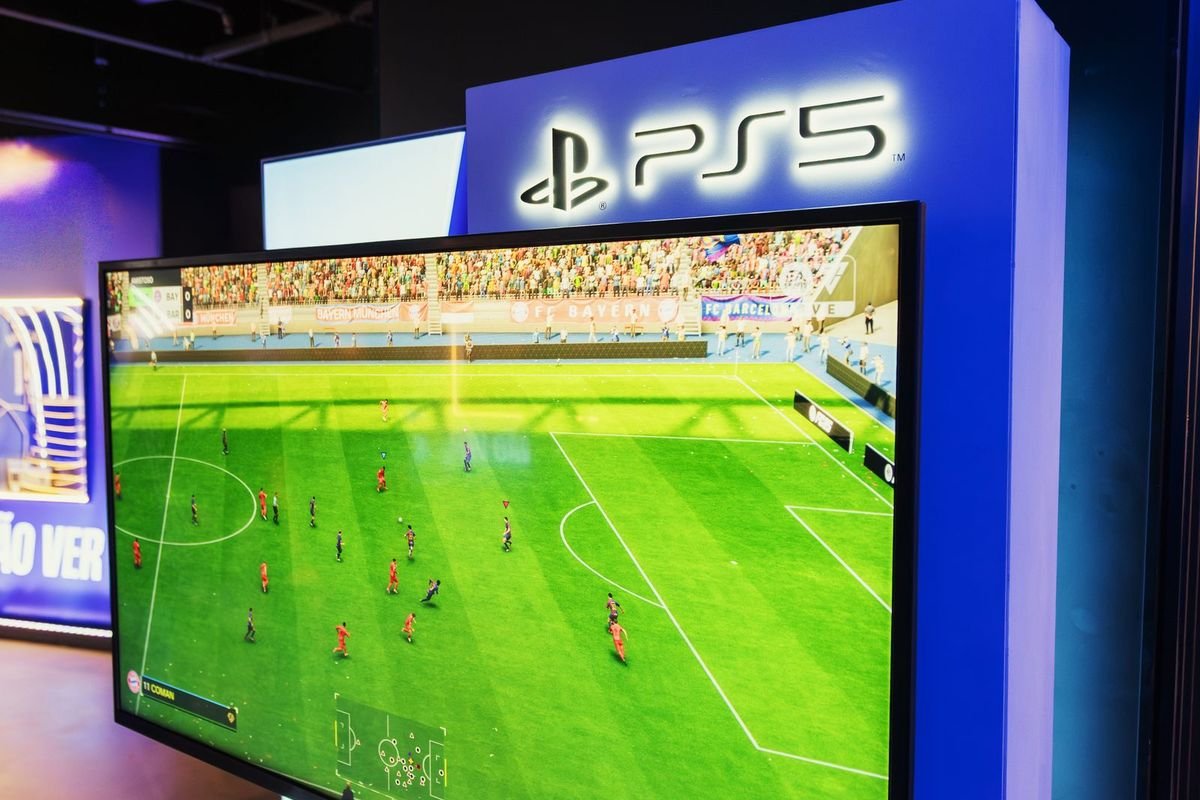
You went to launch your game and PlayStation told you there's a required update. Annoying, but at least it isn't another 50 GB. Let's talk about what it is, because there's a lot of noise out there about it.
What is the GTA 6 PS5 update?
Several outlets, including VICE and GGRecon, report a roughly 1 GB update, version 1.002, appearing for the PS5 version. GamesRadar described it as weighing less than 1 GB, and others put the size at about 1.073 GB as shown on the console. All of that points to something small.
That's much smaller than the 20 to 50 GB patch some sites predicted before launch. If you were bracing for a huge download, relax.
Is it the "day one patch"?
Here's where you should be careful with headlines. Many sites call it "probably the day-one patch". Rockstar itself hasn't said so, and hasn't released patch notes. So what's inside it is Not announced. It could be stability fixes, a store or entitlement change, or something else. Treat anyone claiming to know exactly what it fixes with suspicion, and that includes us: we simply don't know.
Why can't I see the update?
The rollout is staggered. That means it may appear for some people hours before others. If you don't see it:
- Check for update from the game's options menu (press the Options button on the game tile).
- Make sure your PS5 is online and signed in to the correct account.
- Check your storage. Updates need free space to unpack.
- Restart the console and try again.
What to do if GTA 6 won't launch
- Finish any update first. It's the most common reason a game refuses to start.
- Confirm the unlock time. Before midnight local time, the game won't start even when it's fully installed. See our release time guide.
- Check your installation. A preload that was interrupted can show as "ready" but still need to finish.
- Look at PlayStation network status. Launch day often stresses servers.
- Rebuild the database in Safe Mode only as a last resort, after the first four steps.
Should you update right away?
Yes. It's small, it's required, and you can't play without it. The only reason to wait is if you're worried about being among the first to hit a new patch. In practice, that risk is small compared with the benefit of being on the current version, which online features usually demand.
What about PS5 Pro?
Rockstar's Rob Nelson has said the game runs at 30fps on consoles, and PS5 Pro enhancements haven't been described in detail. Our PS5 Pro guide covers what's known. Don't expect this 1 GB patch to change that.
A note on fake "update" sites
A big launch brings scammers. Anyone offering "GTA 6 update files", "unlock codes" or "early access downloads" outside your console's official store is after your login or your money. We keep a list of common scams in our scam warning guide. Updates come only through PlayStation's own system.
The bottom line
It's about 1 GB, it's required, and Rockstar hasn't explained it. Let it install, restart, and you're good. If you're after the bigger storage picture, read the file size and download time guide.
Step by step: installing the update
- Go to your PS5 home screen and highlight the GTA 6 tile.
- Press the Options button on your controller.
- Choose "Check for Update". If one is available, it will start downloading.
- Wait for the progress bar to finish. You can keep browsing while it downloads.
- When it's done, launch the game. If it asks you to restart, do that.
If you'd like updates to arrive on their own next time, check that automatic downloads and installs are turned on in your PS5 settings. Putting the console in rest mode at night usually lets it handle that quietly.
Why do games ship tiny patches right at launch?
It's common. Disc or preload builds are finalised weeks before release, so studios keep working. A small patch right at launch often carries last-minute fixes that couldn't make the deadline. Sometimes it's as simple as store or entitlement tweaks so the right people can unlock the game at the right time. We don't know which category this one falls into, because Rockstar hasn't said.
The reassuring part is the size. A 1 GB patch is not a rewrite. Whatever it changes, it's focused.
Keeping your PS5 healthy on launch night
- Leave breathing room. Don't run the console at 99 percent full. Free at least 20 to 30 GB so updates can unpack.
- Don't unplug mid-update. It's the fastest way to corrupt an install.
- Use a wired connection. It makes launch-night downloads far more stable.
- Keep the console ventilated. A game this big pushes the hardware, so don't tuck it in a closed cabinet.
What if the update is slow?
Launch day is a rough time for downloads. If it's crawling, pause other devices on your network, try again in a few minutes, or switch to a wired connection. If it still stalls, restart the console and resume. And if your connection really can't cope, remember the game itself is a very large download; the file size and download time guide has realistic numbers.
One last thing
Nothing in the update tells us anything new about the game, and be wary of anyone who claims otherwise. If Rockstar publishes patch notes, we'll add them here.
Troubleshooting quick reference
| Problem | Try this |
|---|---|
| No update appears | Press Options on the game tile and choose Check for Update |
| Update is stuck | Pause and resume, then restart the console |
| Not enough space | Delete or move another game, then retry |
| Game won't launch after the update | Restart the console, then check the unlock time |
| Download is very slow | Use a wired connection and pause other devices |
How to stay informed
When Rockstar posts patch notes, they'll appear on its Newswire. We'll update this article and our PS5 Pro page if the details change anything for performance. Because the update is described by outlets rather than Rockstar, treat any claim about its contents as unconfirmed until a primary source says otherwise.
It's easy to get swept up in launch-day rumours. The facts we have are small and simple: it's about a gigabyte, it's required, and it's version 1.002. Everything else is waiting for an official answer.
Who this affects
Only PS5 owners see this particular update, though Xbox players will likely meet their own equivalent. If you're on Xbox, look for a similar prompt in your library and follow the same habits: stay online, keep storage free and let updates finish before you press play. It's dull advice, but dull advice is what gets you into the game on time. For the platform picture, see our Xbox guide.
Questions people ask about the update
Will it delete my save? There's no report of that, and updates normally leave saves alone. Do I need PlayStation Plus for it? Updates don't need a subscription, but some online features might. Does it change the frame rate? Nothing suggests so; the game targets 30fps on consoles, as our review roundup explains.
Frequently asked questions
What is the GTA 6 PS5 update?
Version 1.002, reported at roughly 1 GB, appearing on PS5. Rockstar hasn't published patch notes.
Is it a day-one patch?
Outlets suggest so, but Rockstar hasn't officially labelled it that.
Do I have to install it?
Yes, it's required to launch the game on PS5.
Why doesn't it show for me?
The rollout is staggered. Check for updates from the game's options menu and make sure you're online.
Sources
- VICE: GTA 6 PS5 version 1.002 update
- GGRecon: GTA 6 gets a 1GB update before launch
- GamesRadar: PS5 day one update weighs less than 1GB
- GTA Intel: GTA 6 preload, file size and launch times
We label claims Confirmed (stated by Rockstar Games, Take-Two or a platform holder), Reported (credible reporting without an official statement) or Rumour. Many details below come from news reports and store listings, so check the retailer or platform page before you spend money. How we verify